01
Lightroom with presets
Import the collection, apply it, and adjust the strength for your specific photo and skin tone.
If the source photo feels off, everything after it feels harder too. The Starter Kit helps you take, edit, and use one clear selfie so your content has a better place to start.
If the original photo is dark, awkward, blurry, or unfinished, the AI result usually feels random too.
The Starter Kit shows you how to take, edit, pose, and post AI-ready selfies so your visuals stop feeling fake, flat, or disconnected from you.
One clearer photo. One cleaner edit. One week of content. No starting from zero.
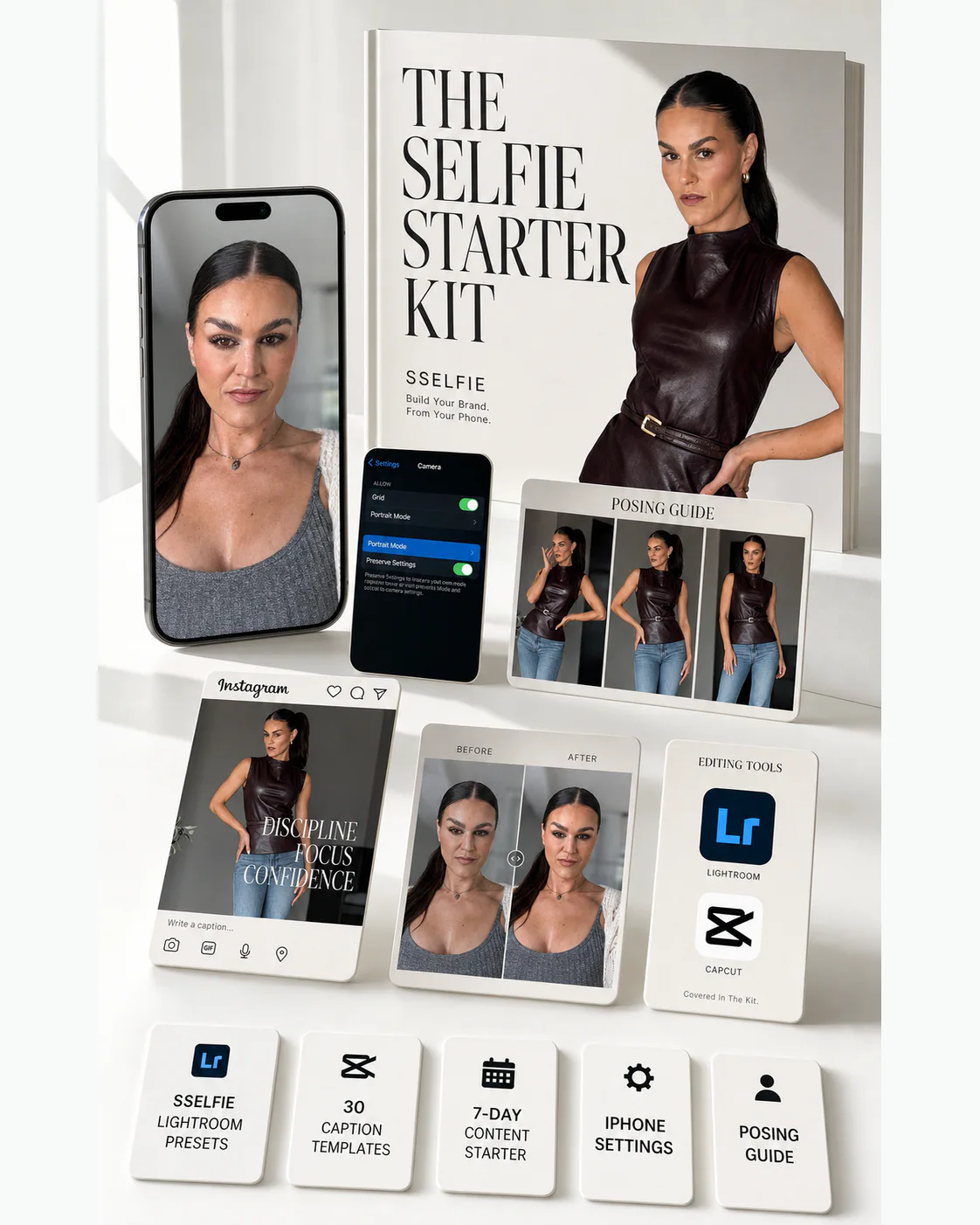
SSELFIE Lightroom Presets
A clean starting point for selfies, AI input photos, and everyday brand visuals.
Selfie Guide
Light, angles, phone setup, and simple rules for photos that look stronger before editing.
Posing And Editing Guidance
Mirror poses, full body, profile, phone edits, Hypic, CapCut, and Lightroom Mobile.
Caption Templates
30 ready-to-edit captions for women who have the photo but do not know what to say.
Storytelling Guide
Five post types that turn one photo session into content people can understand.
7-Day Content Starter
One session. Seven posts. A full week of content planned and ready to use.
01
Lightroom with presets
Import the collection, apply it, and adjust the strength for your specific photo and skin tone.
02
iPhone native editing
Exposure, brilliance, highlights, shadows, and vignette. Clean up the photo before you use it anywhere.
03
Hypic for portraits
Get a polished portrait feel without smoothing your face into someone else.
04
CapCut for video
Use the same clean visual direction on simple video clips and reels.
05
Save a custom preset
Create your own repeatable edit so future selfies start from the right look.
06
Apply edits in bulk
Copy one edit and paste it to every photo in your session. Your camera roll gets cleaner fast.
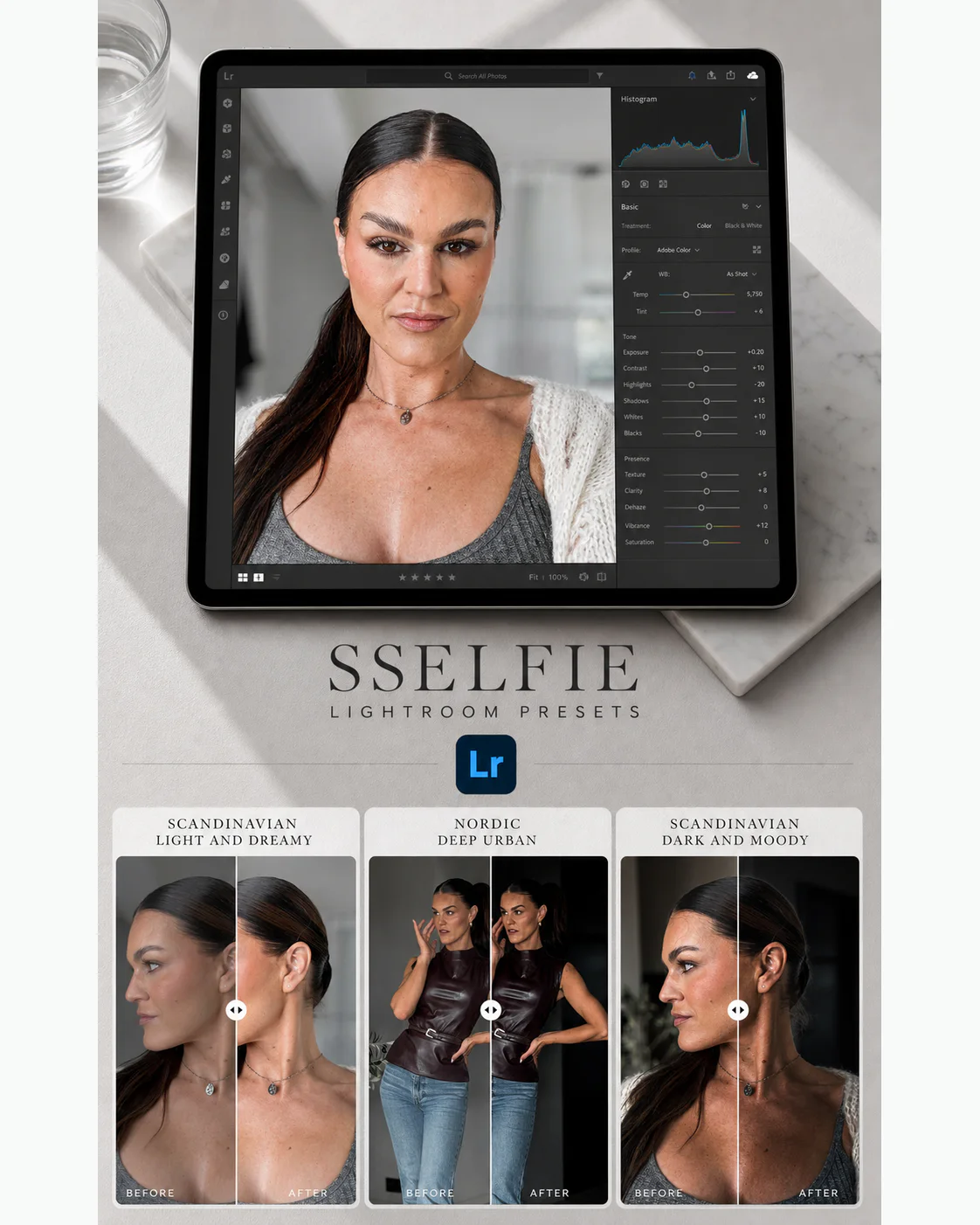
Presets do not replace a good photo. They help you make the photo cleaner, more consistent, and easier to use as personal brand content.
Use them before posting, before building a carousel, or before sending the image into an AI tool.
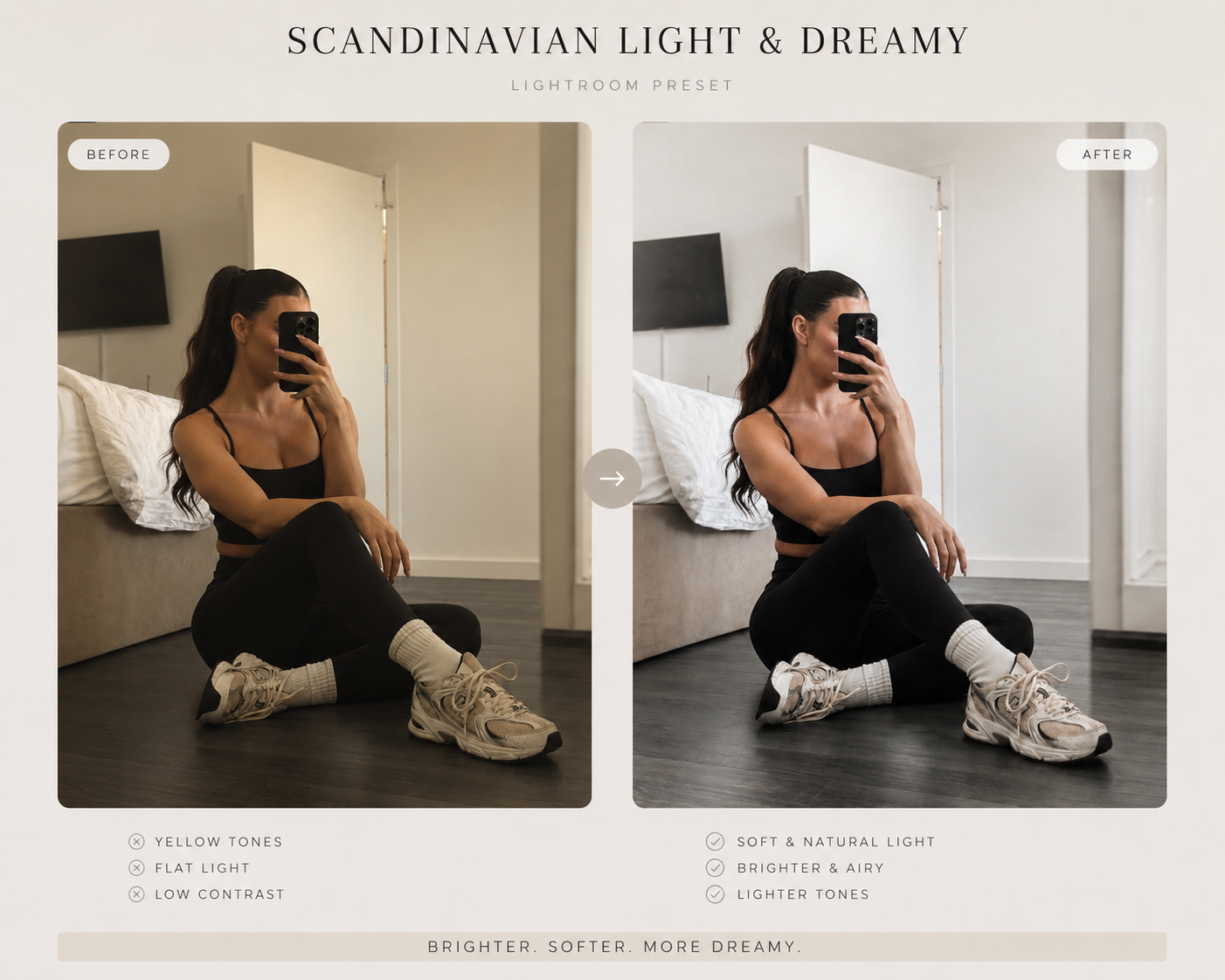
Scandinavian Light and Dreamy
Bright, airy, soft tones. Timeless natural light.
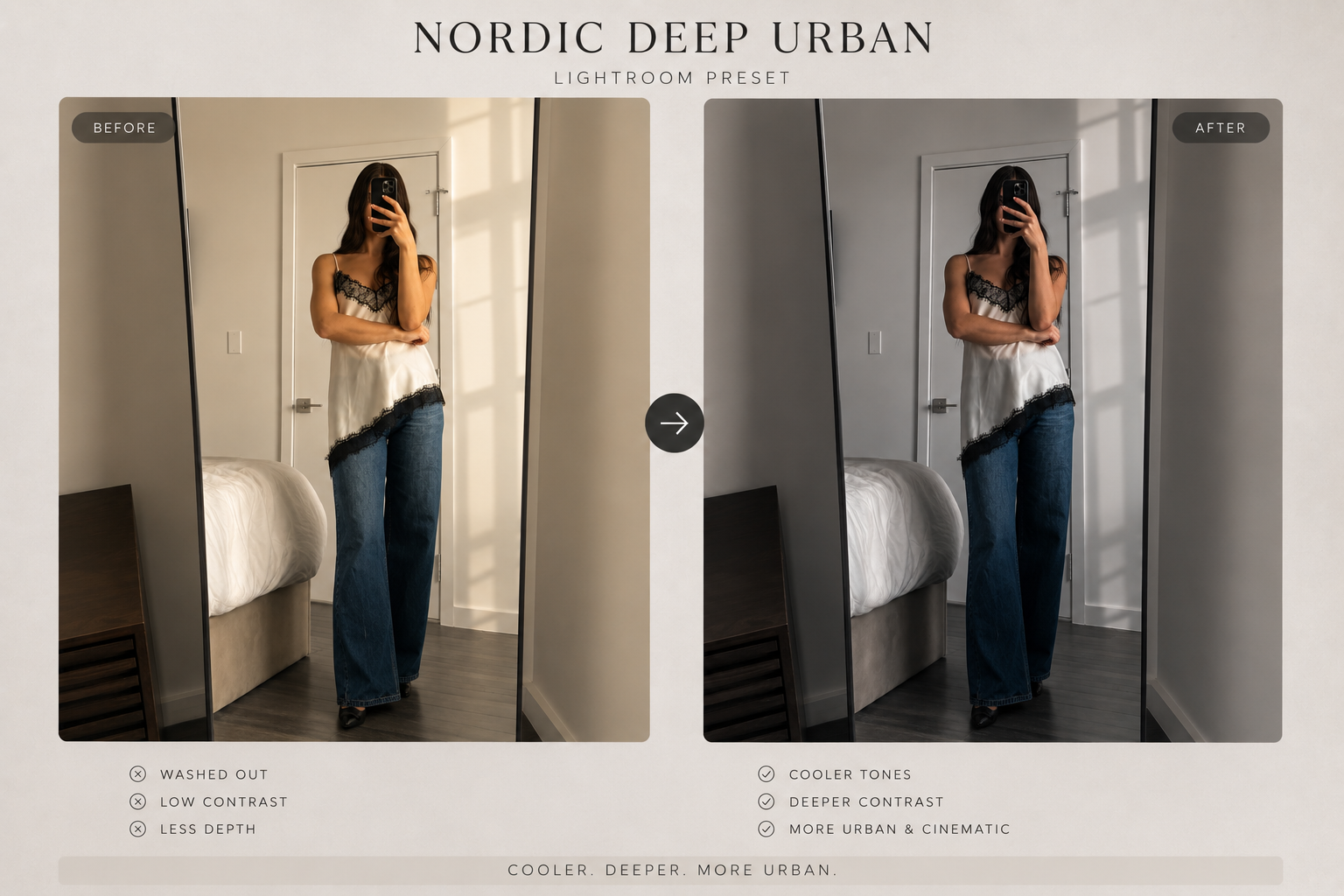
Nordic Deep Urban
Cool, desaturated, cinematic. Urban edge.
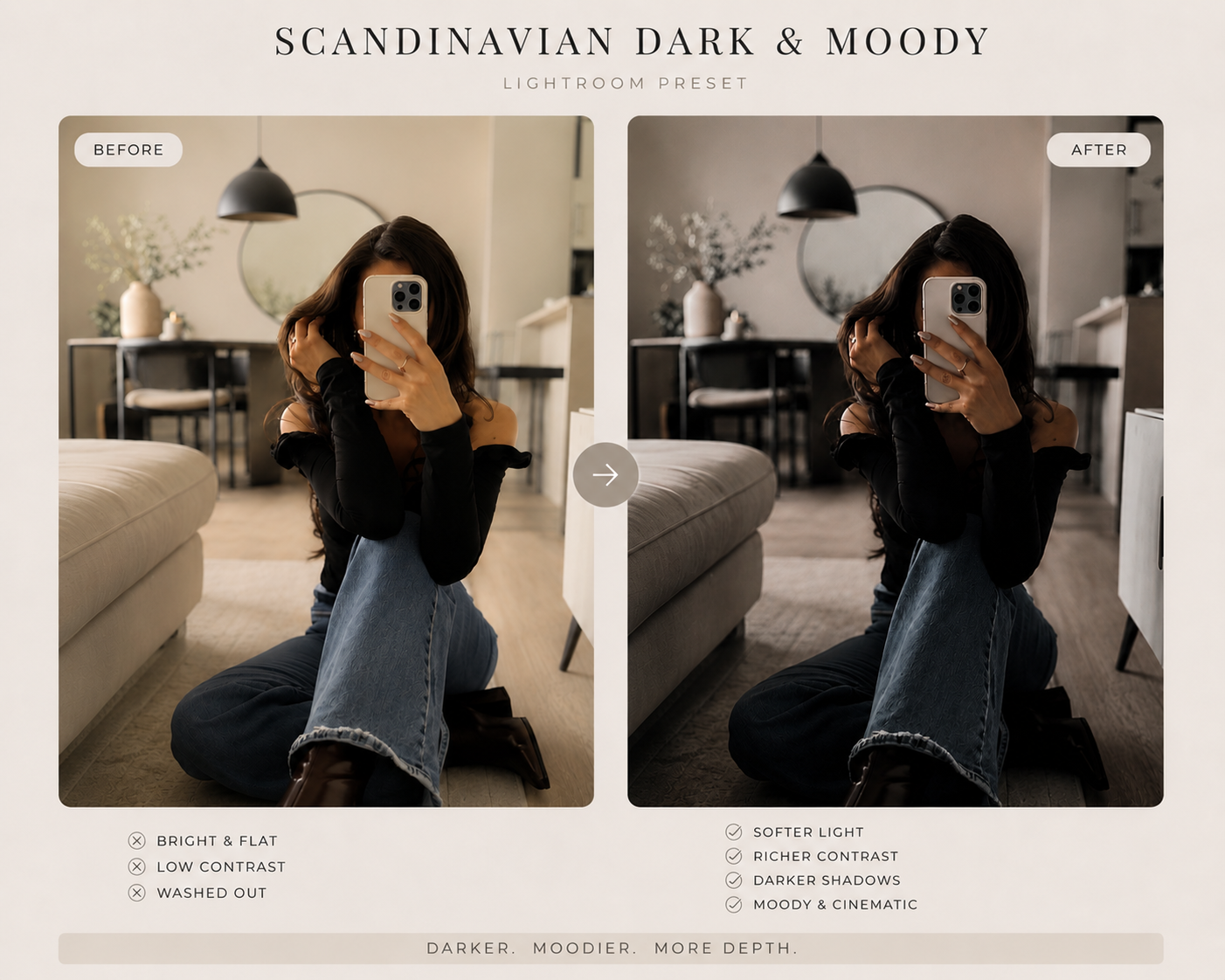
Scandinavian Dark and Moody
Deep, warm, dramatic. Moody and timeless.
Mirror poses, full body, profile, and simple direction so your input photo looks intentional before AI touches it.
30 ready-to-edit captions for the moment when the photo is ready but your brain goes blank.
Five post types that turn one photo session into a full content arc: proof, story, teaching, behind the scenes, and invitation.
Turn one session into seven posts. A full week of content from a single afternoon.
The exact iPhone settings for every shoot. Grid, mirroring, HDR, Live Photos. One page. Keep it on your phone.
Start right after checkout with the presets, guides, caption templates, and your 7-day starter.